

GalleryView all (11)
YouTube Video





About Us

Professional Financial Planning Advisor In Ballina
- Bringing A Level Of Commitment, Focus & Motivation
- Broader Range Of Services & Opportunities
- Experienced Stock Broker In Ballina
- High-Quality & Personalised Investment Advice
- Servicing The Local Community For Over 20 Years
- Specialist In Personal Financial Planning
- General Info
The Northern Rivers office of Morgans, which is based in Ballina, has been servicing the local community for over twenty years.
The Northern Rivers office of Morgans, which is based in Ballina, has been servicing the local community for over twenty years. The office transitioned to a new management team in 2009 which has introduced a broader range of services and opportunities for clients and the broader community. Our office is owner-managed, bringing a level of commitment, focus and motivation not often found in large financial planning and stockbroking groups.
You can access a wealth of experience and technical expertise through our financial planning team at Morgans Ballina/Byron Bay. We can work with you to tailor wealth solutions that help you reach your investment goals. Financial planning is taking advantage of all the investment opportunities available to you. With the right advice and a patient investment approach, becoming a successful investor can be relatively simple. What we do Our experienced financial advisers build personalised financial plans that aim to create, grow and protect your wealth.
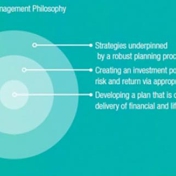
Selecting appropriate assets to build your wealth Wealth protection through personal insurance Superannuation strategies Self-managed Superannuation Fund (SMSFs) Tax planning to manage the amount of tax you pay Planning for your retirement Our approach Your Morgans adviser will take you through the wealth management planning process, implement your strategies and help you make the most of all opportunities. This wealth management process helps you set short-and long-term goals and use a range of investment strategies to achieve those goals.
Strategies are developed around the principles of saving tax, choosing the right investment structures, minimising risk, personal insurance and generating a large-enough asset base to provide you with financial security. The strategies to save tax involve structuring salary, superannuation, investments and debt. Risk is minimised through the diversification of investments and monitoring portfolio performance. Your Morgans adviser will work with you to put in place a wealth management plan that will help you achieve your lifestyle goals– or help you create a better life.
- Accreditations
 Professional Partner Of The Financial Planning AssociationA Participant Of ASX GroupCertified Practising Accountant - David Grosser
- Email Business
- ABN
- 49 010 669 726
- Staff
- 501-1000
- Ownership
- Locally Owned
- Service Notes
- Open Monday to Friday
- Free Estimates
- Yes
- Other Link
- Categories
- Certifications
- Certified Practising Accountant - David Grosser
- Licenses
- Legal ID: Since 1982
- Keywords
- Financial Planning, Margin Lending, Stockbroking, Superannuation strategies, Tax Planning, wealth management

FAQs
I am using Internet Explorer 8 and getting an error when viewing the homepage or searching for an office. How can I fix this? (Part-2)
If you are using Internet Explorer 8, follow the steps below to download and install the required Microsoft security update: 1. Visit the Microsoft website 2. Select "Download" and follow the prompts to install the update. [Note. It may require you to restart Internet Explorer.] 3. Try the Morgans website again after completing the installation. Hopefully the issue is fixed. If the problem still exists, please contact us for assistance.
I'm not a client of Morgans. How do I get access to your client site?
To access our client facilities, including research reports, you must first become a client. Your nearest adviser who will be able to arrange trial access. If you would like to find out more, please contact us.
I am having problems with the size of the text on your site. How do I fix it?
To increase or decrease the magnification of a web page, press the Ctrl button and '+' (plus) button to zoom in or Ctrl and '-' (minus) to zoom out. To return the page to its original size, press Ctrl and '0'. You can also scroll the mouse wheel up and down while holding Ctrl to increase/decrease zoom level.
I've forgotten my password and login. What do I do?
To reset your password, https://my.morgans.com.au/forgot-password You will be taken to the Morgans client website, where you can reset your password.
I am using Internet Explorer 8 and getting an error when viewing the homepage or searching for an office. How can I fix this? (Part-1)
We have identified that this issue may be related to the fact that you do not have the latest security update from Microsoft. Firstly, confirm whether you are using Internet Explorer 8 [Click on 'Help' and then 'About Internet Explorer' or the blue circle with the? at the top of the browser]. If you are not using Internet Explorer 8, it is likely to be a different issue. Please contact our support staff for assistance.